

🔧 Project: Dual ISP Failover Configuration for Business Continuity
Device use- Fortinet FortiGate-200F
📍 Project Type
Network Infrastructure | High Availability | Business Continuity
🧩 Problem Statement
The client experienced frequent internet disruptions due to reliance on a single ISP connection, which caused downtime for:
- Internal systems
- VoIP services
- Cloud applications
- Remote access users
This created operational risks and productivity loss during ISP outages.
🎯 Objective
To design and implement a redundant internet connectivity solution that ensures:
- Continuous network availability
- Automatic failover during ISP outages
- Minimal manual intervention
- Stable performance for business-critical services
🛠️ Solution Implemented
I implemented a Dual ISP Failover Configuration with automatic switching between primary and secondary internet connections.
Key components of the solution:
- ✅ Primary ISP – Main internet connection
- ✅ Secondary ISP – Backup connection
- ✅ Failover Policy – Automatic detection and switching
- ✅ Routing & Monitoring – Continuous link health checks
When the primary ISP goes down, traffic seamlessly fails over to the secondary ISP without service interruption.
🧠 Technical Highlights
- WAN failover configuration
- Health-check based routing
- Firewall and NAT policy optimization
- Zero manual intervention during outages
- Tested failover and recovery scenarios
🧪 Testing & Validation
- Simulated ISP outages
- Verified automatic traffic switching
- Confirmed VoIP and cloud services continuity
- Ensured failback when primary ISP restored
✅ Outcome & Benefits
- ✔ Near-zero downtime
- ✔ Improved network reliability
- ✔ Business continuity ensured
- ✔ Enhanced user experience
✔ Reduced operational riskLorem ipsum dolor sit amet, consectetur adipiscing elit. Ut elit tellus, luctus nec ullamcorper mattis, pulvinar dapibus leo.
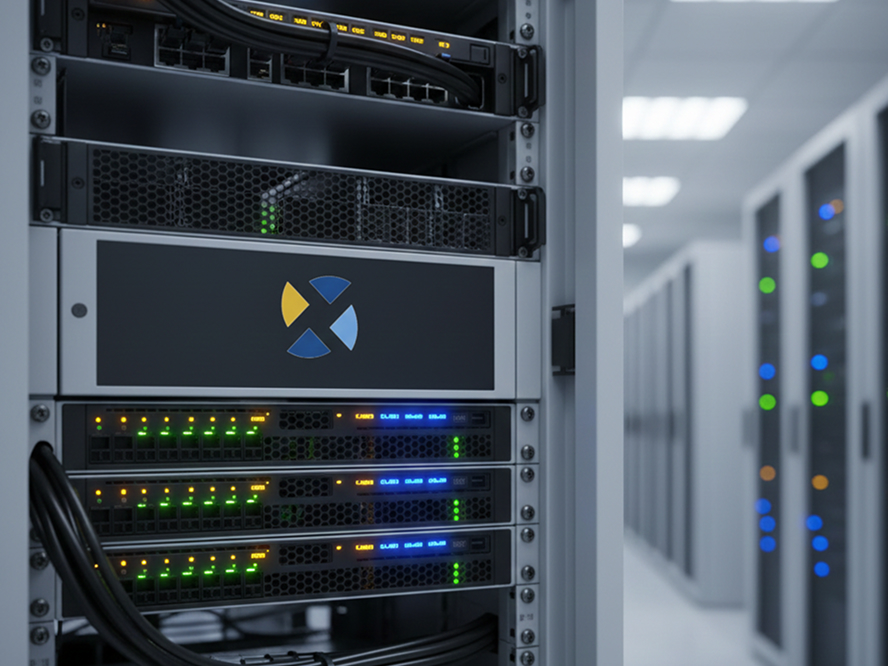
Technical Project: Small Business Wi-Fi Infrastructure Upgrade
Project Overview
Scotia Logic – IT & Development designed and implemented a secure, centralized Wi-Fi infrastructure for a small business using TP-Link enterprise networking equipment. The objective was to improve wireless performance, strengthen network security, and provide centralized management with minimal operational overhead.
Network Architecture
Topology:
ISP → Firewall / Router → Managed Switches → Wireless Access Points
All network components were centrally managed through the TP-Link Omada Controller, enabling unified configuration, monitoring, and lifecycle management.
Technologies & Tools
- TP-Link Business-Grade Router & Firewall
- TP-Link Managed Switches
- TP-Link Omada Wireless Access Points
- Omada Hardware / Cloud Controller
- VLAN Segmentation
- Port-Level Access Control
Configuration & Implementation
- Adopted and configured all network devices through the Omada Controller.
- Implemented VLAN segmentation to separate internal office traffic from guest Wi-Fi access.
- Applied port-level restrictions to limit unauthorized network access.
- Enabled centralized monitoring and alerting for real-time visibility.
- Configured cloud-based management for remote administration and maintenance.
Security Measures
- Logical network isolation using VLANs.
- Guest network access restricted from internal resources.
- Continuous monitoring with automated alerts for device or network outages.
- Secure firmware management through centralized update deployment.
Testing & Validation
- Verified VLAN isolation through connectivity and access testing.
- Confirmed proper enforcement of port-level restrictions.
- Validated wireless coverage, throughput, and device roaming.
- Ensured alerting and monitoring functions were operational.
Results & Outcomes
- Improved wireless stability and performance.
- Enhanced network security through segmentation and access control.
- Simplified administration using centralized and cloud-based management.
- Reduced troubleshooting time with real-time alerts and visibility.
- Scalable design ready for future expansion.
Role & Responsibility
- Network design and architecture
- Hardware selection and deployment
- Security configuration and validation
- Testing, documentation, and client handover
Technical Project: Windows Server Migration (2012 → 2025)
Project Overview
Scotia Logic – IT & Development successfully planned and executed a full server migration from Windows Server 2012 to Windows Server 2025 to modernize the client’s infrastructure, enhance security, and ensure long-term supportability. The migration was designed to minimize downtime while preserving system integrity and data availability.
Migration Scope
- Legacy environment running Windows Server 2012
- Target environment deployed on Windows Server 2025
- Services migrated with configuration validation and post-migration testing
Technologies & Tools
- Windows Server 2012 (Source)
- Windows Server 2025 (Target)
- Active Directory Domain Services (AD DS)
- DNS & DHCP
- File and Share Services
- Group Policy Management
- Robocopy / Migration Tools
- PowerShell
Migration Strategy
- Built a new Windows Server 2025 instance parallel to the existing environment.
- Performed pre-migration health checks on Active Directory, DNS, and system roles.
- Used staged data migration to reduce downtime.
- Maintained rollback capability throughout the process.
Configuration & Implementation
- Promoted the new Windows Server 2025 system as a domain controller.
- Migrated FSMO roles from Windows Server 2012.
- Validated DNS and DHCP services post-migration.
- Migrated file shares with preserved NTFS permissions and access controls.
- Updated Group Policies and verified application dependencies.
- Decommissioned the legacy Windows Server 2012 environment after validation.
Security Enhancements
- Enabled modern security baselines supported by Windows Server 2025.
- Removed deprecated protocols and legacy authentication methods.
- Applied updated Group Policy security templates.
- Ensured compliance with current patching and update standards.
Testing & Validation
- Verified domain authentication and replication health.
- Confirmed user access to file shares and network resources.
- Tested application compatibility and service availability.
- Conducted backup and restore validation.
- Monitored system performance and event logs post-migration.
Results & Outcomes
- Successfully upgraded the server environment to a fully supported platform.
- Improved system security, performance, and reliability.
- Reduced operational risk associated with legacy operating systems.
- Enhanced scalability and future upgrade readiness.
- Minimal disruption to business operations during migration.
Role & Responsibility
- Migration planning and execution
- Server build and configuration
- Active Directory and role migration
- Security hardening and validation
- Testing, documentation, and client handover
Technical Project: Physical Server to Microsoft Cloud Migration (Windows Server 2025)
Project Overview
Scotia Logic – IT & Development successfully migrated an on-premises physical Windows Server 2025 environment to the Microsoft Cloud, modernizing the client’s infrastructure to improve reliability, scalability, and security while reducing hardware dependency and operational risk.
Migration Scope
- Source Environment:
- Physical on-premises server
- Windows Server 2025
- Target Environment:
- Microsoft Cloud (Azure)
- Cloud-hosted Windows Server workload
The migration was planned to ensure minimal downtime, data integrity, and service continuity.
Technologies & Tools
- Windows Server 2025
- Microsoft Azure
- Azure Virtual Machines
- Azure Virtual Network (VNet)
- Azure Storage
- Azure Backup
- Azure Site Recovery / Migration Tools
- Azure Active Directory (Entra ID)
Architecture Design
Target Architecture:
- Azure Virtual Machine hosting Windows Server 2025
- Secure Azure Virtual Network with subnet segmentation
- VPN / secure connectivity between on-premises and cloud (during migration)
- Cloud-based backup and monitoring services
Migration Strategy & Implementation
- Assessed existing physical server roles, services, and dependencies.
- Prepared Azure environment, including:
- Virtual Network
- Subnets
- Network Security Groups (NSGs)
- Provisioned Windows Server 2025 virtual machine in Azure.
- Migrated system data, applications, and configurations from physical server to cloud.
- Validated application functionality and service availability post-migration.
- Configured cloud-based monitoring and backup policies.
Security & Compliance
- Implemented Network Security Groups (NSGs) to control inbound and outbound traffic.
- Applied role-based access control (RBAC) for administrative access.
- Enabled Azure Backup for data protection and recovery.
- Ensured secure authentication using Microsoft Entra ID (Azure AD).
- Applied system hardening and security best practices post-migration.
Testing & Validation
- Verified application and service functionality.
- Confirmed data integrity after migration.
- Tested remote access and administrative connectivity.
- Validated backup jobs and restore points.
- Ensured system performance met or exceeded on-premises benchmarks.
Results & Outcomes
- Eliminated dependency on aging physical hardware.
- Improved system availability and disaster recovery readiness.
- Enabled scalable infrastructure aligned with business growth.
- Centralized management and monitoring through Microsoft Cloud.
- Enhanced security posture using cloud-native controls.
Role & Responsibility
- Migration planning and execution
- Cloud architecture design
- Windows Server deployment and configuration
- Security hardening and access control
- Testing, documentation, and client handover
Technical Project: Full Office Network Setup with Department Segmentation
Project Overview
Scotia Logic – IT & Development designed and deployed a complete network infrastructure for a small office. The goal was to provide secure, reliable connectivity for all departments while enabling department-specific segmentation and shared resources across the organization.
Network Architecture
Topology:
ISP → Firewall / Router → Managed Switches → Access Points → Department Workstations
Departments:
- Sales
- Human Resources (HR)
- Administration
- Accounts
Each department was segmented using VLANs to ensure security and traffic isolation while maintaining the ability to share files between departments through controlled inter-VLAN routing.
Technologies & Tools
- Firewall / Router (with VLAN & inter-VLAN routing capabilities)
- Managed Layer 2 / Layer 3 Switches
- TP-Link Access Points for Wi-Fi coverage
- Windows Server / NAS for shared folders and file access
- Omada / Cloud Controller for device management and monitoring
- VLANs, ACLs, and Port-Level Security
Technical Steps & Implementation
1️⃣ Network Planning
- Map each department’s devices and IP addressing scheme.
- Assign VLAN IDs for each department:
- VLAN 10 → Sales
- VLAN 20 → HR
- VLAN 30 → Admin
- VLAN 40 → Accounts
- Define inter-VLAN routing rules for controlled access to shared folders.
2️⃣ Device Deployment
- Connect ISP to the main firewall/router.
- Deploy managed switches to each department.
- Connect wired workstations and Wi-Fi access points.
- Ensure switch ports are configured for access or trunk mode based on device type.
3️⃣ VLAN Configuration
- Configure VLANs on switches and router/firewall:
VLAN 10 – Sales
VLAN 20 – HR
VLAN 30 – Admin
VLAN 40 – Accounts
- Assign each switch port to the appropriate VLAN.
- Configure trunk ports between switches and router for inter-VLAN routing.
4️⃣ Interconnect & File Sharing
- Deploy a Windows Server / NAS for central file storage.
- Configure shared folders with access control lists (ACLs) per department.
- Allow controlled cross-department access for necessary folders (e.g., Admin ↔ Accounts).
- Map network drives on client workstations.
5️⃣ Wi-Fi Setup
- Deploy wireless access points in office areas.
- Assign SSID per department or single SSID with VLAN tagging.
- Configure security (WPA3 / strong passwords) and guest isolation.
- Monitor signal strength and connectivity through centralized controller.
6️⃣ Security & Monitoring
- Enable firewall rules per VLAN for internal and external traffic.
- Configure port-level security to prevent unauthorized devices.
- Set up alerts for connectivity issues or device downtime.
- Enable regular backups of shared folder data.
7️⃣ Testing & Validation
- Ping test between VLANs and confirm restricted access per policy.
- Verify shared folder access for each department.
- Test Wi-Fi coverage and roaming for all workstations.
- Confirm firewall rules and inter-VLAN routing work as expected.
Results & Outcomes
- Full segmented office network with department-specific VLANs.
- Secure and isolated traffic between departments.
- Shared resources accessible where required, with proper permissions.
- Reliable Wi-Fi and wired connectivity throughout the office.
- Centralized monitoring and management, simplifying future expansion.
Role & Responsibility
- Full network architecture and planning
- VLAN design and configuration
- Device deployment and Wi-Fi setup
- Security configuration and file-sharing setup
- Testing, validation, and documentation